


Introduction
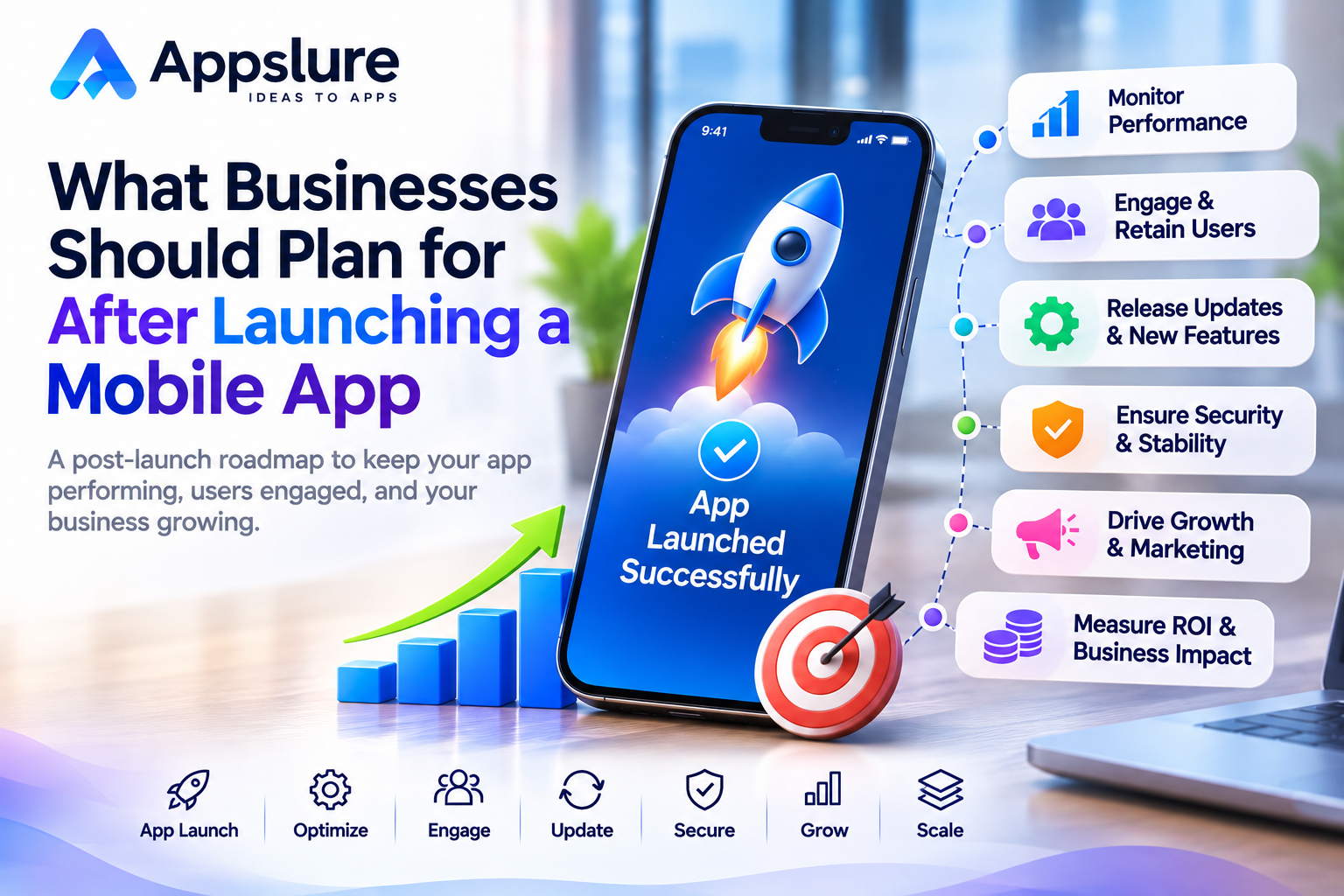
After launching a mobile app, a business needs a plan for keeping it reliable, helping users, and deciding what to improve. The first release provides an opportunity to learn how people use the product outside the testing environment.
A customer may struggle to register, a transaction may fail on a particular device, or a useful feature may go unnoticed. These situations need clear ownership, timely investigation, and room in the operating budget.
When working with a mobile app development company in Delhi, discuss ongoing maintenance, user support, and future improvements alongside the initial launch. Agree on who will monitor the app, approve changes, and respond when something goes wrong.
This guide explains the practical decisions businesses should make after launch, including measurement, updates, marketing, security, and the full cost of operating the product.
Define What Success Looks Like After Launch
Identify the Actions That Matter
Start with the outcome the app exists to deliver. For a booking service, that might be a confirmed appointment. For an education platform, it could be completing a lesson. An ecommerce business may focus on successful purchases and repeat orders.
Choose a small set of measures that show whether users reach those outcomes. Include successful task completion, first meaningful use, returning users, and relevant revenue or enquiry results.
Verify Your Analytics
Google Analytics for Firebase supports automatically collected events and custom events for actions specific to an application. These capabilities can help a team understand usage and engagement when implemented appropriately.
Check that important events fire at the correct moment and that failed actions are not recorded as successes. A payment-button click should not be treated as a completed purchase.
Collect information that serves a defined purpose and follows your privacy commitments.
Establish a Useful Baseline
Record initial results before changing major workflows. Compare groups of users who joined during similar periods, and account for differences in acquisition channels.
Set review intervals that fit the product. A monthly service and a daily learning app require different expectations for repeat use.
Monitor App Reliability and Resolve Critical Issues
Monitor the Complete User Journey
Review crashes, failed logins, transaction errors, slow screens, and unavailable services. Include the backend, integrations, and admin tools in the monitoring plan.
Android vitals reports app-quality information such as stability, performance, battery use, and permission issues. Firebase Crashlytics groups crash reports and helps teams identify the severity and prevalence of stability problems.
Use these signals alongside reports of failed business actions. An app can remain open while a booking or payment fails.
Assign Incident Ownership
Decide who receives alerts, investigates reports, and communicates with the business. Define which problems require immediate escalation and which can enter the normal maintenance queue.
A widespread checkout failure deserves a different response from a minor alignment issue. Record the affected workflow, app version, device details, and available evidence.
Review Infrastructure Demand
Track backend response times and resource usage as customers arrive. Before a promotion or seasonal peak, review whether servers, integrations, and support arrangements can handle the expected demand.
Investigate the actual bottleneck before increasing infrastructure spending.
Improve Onboarding and Customer Support
Help Users Reach Their First Useful Outcome
Review the journey from opening the app to completing its main action. Look for unnecessary registration fields, unclear permission requests, confusing navigation, and instructions that assume prior knowledge.
Test important screens with accessibility features and different text sizes. Check how users recover from invalid entries or interrupted requests.
For example, a booking app should make it clear whether an appointment is confirmed, pending, or unsuccessful.
Make Help Easy to Find
Provide support options appropriate to the service, such as an accessible help section, contact form, or customer-support channel. Set realistic expectations about availability and response times.
Create answers for recurring questions, while preserving a route to human assistance when self-service information is insufficient.
Use Support Patterns to Improve the Product
Group repeated enquiries by workflow. If users frequently ask whether their payment succeeded, review the transaction status and confirmation experience.
Keep account-specific details in private support channels. Public review responses should guide customers to a suitable way to resolve their issue.
Use Feedback to Plan Useful Product Improvements
Collect Feedback from Different Sources
Combine app-store reviews, support conversations, analytics, and targeted user interviews. Each source can reveal a different part of the problem.
A review may describe frustration, while analytics can show where users stop. A short conversation can help clarify what they expected to happen.
Separate Defects from New Requests
Classify incoming work clearly. A broken login is a defect. A confusing form may need a usability improvement. Adding a subscription feature is new development.
This distinction helps the team understand urgency, effort, and the relevant budget.
Prioritize Changes with Evidence
Consider how many users are affected, the importance of the workflow, business impact, and implementation effort. Include technical dependencies and the risk of disrupting existing functionality.
Write a simple expected outcome for each proposed change. After release, review whether it addressed the original issue.
Keep a record of requests that are deferred and the reason for the decision. This makes the roadmap easier to explain without accepting every suggestion.
Plan Maintenance and Manage App Updates
Maintain Compatibility
Assign responsibility for reviewing operating-system changes, frameworks, libraries, integrations, and supported devices. Include backend and admin-system maintenance in the same operating plan.
Schedule routine work while preserving capacity for urgent defects. Keep planned feature development visible as a separate commitment.
Test Important Workflows Before Release
Verify registration, authentication, transactions, notifications, and other critical journeys on relevant devices.
Check that backend changes remain compatible with app versions customers still use. Plan data migrations carefully and confirm how the system will behave if a release is interrupted.
Prepare for Release Monitoring and Recovery
Apple provides phased release controls for eligible version updates, and Google Play supports staged rollouts. Their behavior differs: Apple allows anyone to download a phased update manually, while Google states that users who already received a halted staged version remain on that version.
Prepare recovery options before releasing a change. Depending on the problem, these may include pausing further distribution, disabling a feature through an existing tested control, correcting a backend issue, or submitting a fixed app version.
An installed mobile update cannot be assumed to reverse immediately. Allow for review and distribution processes, and explain the situation to affected users.
Protect User Data and Maintain Operational Access
Review Security as the Product Changes
Reassess access controls, data handling, permissions, and third-party components when features change. Avoid collecting sensitive information in logs simply because it makes debugging easier.
OWASP MASVS provides a reference for mobile security controls covering areas such as storage, authentication, network communication, code quality, and privacy. Use an appropriate assessment scope for the app and its connected services.
Document findings and assign responsibility for remediation.
Test Backups and Recovery
Identify which business data and configurations need recovery protection. Define acceptable recovery expectations, who can restore systems, and how the restoration process will be checked.
Maintain protected backups and test restoration periodically. A backup file is useful only when the team can recover the required information and services from it.
Keep Business Ownership Clear
Maintain an inventory of source repositories, hosting accounts, domains, developer accounts, signing resources, and external services.
Use appropriate access permissions and document handover procedures. Review access when people or suppliers change, so the business can continue operating its product.
Continue Marketing and Improve User Engagement
Keep Store Listings Relevant
Review descriptions, screenshots, and feature explanations as the product develops. Make sure the listing describes the experience a customer will actually receive.
Use recurring questions to identify information that should be clearer before installation. Avoid promising capabilities that are still on the roadmap.
Choose Channels That Fit Your Audience
Consider website promotion, relevant content, customer communications, referrals, partnerships, and paid campaigns.
Define the action each campaign should encourage and make sure the measurement is working. Compare channels using meaningful outcomes such as completed registrations, bookings, or purchases.
Plan Relevant Engagement Messages
Use reminders and notifications when they provide a clear benefit, and respect users’ preferences.
A timely appointment reminder has a different purpose from a repeated promotional message. Review engagement alongside opt-outs, complaints, and repeat use before increasing communication frequency.
Build the next marketing decision around observed customer behavior and available budget.
Create a Complete Budget for Running and Improving the App
A useful operating budget shows what the business needs to keep the current service running and what it plans to invest in next.
Separate Different Types of Expenses
Fixed recurring expenses may include subscriptions or an agreed support retainer. Usage-based expenses depend on activity, such as message delivery, storage, or API requests.
Periodic work may include a security assessment, a major dependency upgrade, or a vendor migration. New features and redesigns should have their own planned allowance.
Service pricing also varies by product and billing plan. Firebase, for example, documents a no-cost Spark plan and a pay-as-you-go Blaze plan, with product-specific quotas and charges. Check the services actually used by your application when forecasting costs.
Include the Main Cost Categories
| Cost Category | What to Include | Main Budget Driver |
| Maintenance and releases | Defect fixes, compatibility work, dependency updates, testing, and release management | Scope, platforms, and release workload |
| Hosting and infrastructure | Servers, databases, storage, bandwidth, monitoring, logs, and backups | Architecture, traffic, and retained data |
| Third-party services | Messaging, maps, authentication, analytics, AI, and other relevant APIs | Usage, service selection, and plan limits |
| Distribution and transactions | Applicable account charges, renewals, processing fees, and platform commissions | Platform, business model, and transactions |
| Customer operations | Customer support, moderation, and content administration where required | Ticket volume and service expectations |
| Product improvements | Design changes, experiments, new features, and implementation work | Approved roadmap and complexity |
| Marketing and engagement | Campaigns, creative production, listing improvements, and engagement tools | Acquisition plan and chosen channels |
| Periodic work and reserves | Security reviews, recovery checks, migrations, and unexpected incidents | Planned work and operational exposure |
Keep the categories relevant to the actual product. A simple internal tool and a marketplace with payments, messaging, and moderation will have different operating needs.
Check What Is Already Included
Read the agreed delivery and support scope before adding a maintenance charge. Clarify the initial support period, covered defects, exclusions, and how additional work is approved.
An initial defect warranty may differ from a service that includes monitoring, compatibility updates, or ongoing customer assistance. Ask the provider to identify these boundaries explicitly.
Separate response expectations from resolution commitments. An issue can be acknowledged quickly while diagnosis or an external dependency takes longer.
Build a Budget from Specific Assumptions
Estimate recurring commitments, expected service usage, scheduled maintenance, customer operations, approved improvements, marketing, and contingency.
For development work, use the agreed scope, estimated effort, and rates or a clearly defined fixed fee. For usage-based services, record the forecast quantity, applicable rate, and any included allowance.
Identify currency, taxes where applicable, renewal dates, and the party responsible for each invoice. Avoid counting the same work both inside a retainer and as a separate expense.
Review expected and actual costs each month, and maintain a longer forecast for renewals and larger changes. Any meaningful estimate should explain the assumptions behind it.
Build a Practical Plan for the First 90 Days
Use the first three months to establish an operating rhythm. The following plan is a starting point that can be adjusted to the app’s risks, audience, and available team.
| Period | Main Priorities | Suggested Owner and Output |
| Days 1 to 30 | Verify analytics, monitor critical journeys, address serious defects, establish support ownership, and record operating expenses | Product and technical leads establish a baseline, issue list, and cost review |
| Days 31 to 60 | Address recurring feedback, improve onboarding, review early retention, and compare expected usage with actual demand | Product and support owners agree on an improvement release and revised operating plan |
| Days 61 to 90 | Assess released changes, review capacity and acquisition results, and prioritize the next quarter | Business and technical owners approve a roadmap and budget |
A small business may assign several responsibilities to the same person. What matters is that the owner and expected output are clear.
Monitoring, security, and support continue throughout the plan. Serious issues should be handled when they arise rather than waiting for the next review date.
Choose a Development Partner for Ongoing Support
Choose a mobile app development company that clearly explains its maintenance scope, support responsibilities, release process, and approach to future improvements.
Agree on the Scope and Escalation Process
Discuss supported platforms, working hours, incident priorities, response expectations, and the procedure for approving additional work.
Ask who investigates issues involving hosting or external providers. Confirm how urgent work affects scheduled improvements and how associated costs are communicated.
Expect Useful Reporting
Request reports that connect technical work with the product’s condition. Useful updates explain significant incidents, completed fixes, upcoming releases, unresolved risks, and spending changes.
Reports should make it easier to decide what needs attention next.
Confirm Ownership and Handover
Document access to code, infrastructure, developer accounts, service configurations, and technical information. Agree on how another authorized team could take over if necessary.
Bring the app’s current issues, usage patterns, and business priorities to discussions with Appslure. Use that conversation to define the support and improvement work your product needs.
Conclusion
A practical post-launch plan gives every important responsibility an owner and a place in the budget.
Start by measuring meaningful outcomes and monitoring the journeys customers depend on. Use feedback to guide improvements, maintain compatibility and security, and coordinate releases with customer support.
Review spending against actual usage and keep the next quarter’s priorities visible. This creates a clearer basis for deciding when to fix, improve, promote, or expand the application.
Discuss your app’s ongoing maintenance, support, and improvement requirements with Appslure to plan the next stage of your product.
Frequently Asked Questions
What should a business do immediately after launching a mobile app?
Verify analytics, monitor essential user journeys, review serious defects, and establish a clear support route. Confirm who receives alerts, approves urgent changes, and communicates with customers. Record an initial performance and cost baseline.
What ongoing costs should an app owner budget for?
Include infrastructure, relevant third-party services, maintenance, testing, releases, customer operations, and planned improvements. Add marketing and periodic work where appropriate. Check which expenses are already included in existing agreements.
What is the difference between app maintenance and new feature development?
Maintenance keeps existing functionality usable through defect fixes, compatibility work, dependency updates, and related testing. New feature development adds or materially changes capabilities. Define the boundary in the agreed scope because each type of work may need a different budget.
How often should a business release app updates?
Choose a schedule based on defects, compatibility needs, user impact, and the planned roadmap. Urgent problems may require a faster release, while larger changes need suitable testing. Review readiness and risk before publishing.
How can businesses decide which user feedback to act on first?
Look for recurring problems supported by usage data, support reports, or interviews. Prioritize issues affecting important tasks, then consider the number of affected users, business impact, and effort required. Check whether the released change solves the original problem.
What should be included in a support agreement?
Define included work, supported systems, availability, escalation, response expectations, release responsibilities, reporting, and charges for additional work. Include account access, documentation, and handover arrangements.
When should a business consider redesigning its app?
Consider a redesign when evidence shows persistent usability problems, accessibility barriers, or a mismatch between the interface and current business needs. Investigate whether focused improvements can solve the problem before approving a wider redesign.

